
Table of Contents
-
Wordpress
-
Assembly & Fitment
- Solvent Welding: The Proper Way To Join PVC
- Alternator Replacement 2011 Kia Sedona
- Industrial Actuator Guide: Converting Energy into Motion
- Industrial Switch & Input Guide: Identification & Use
- The Industrial Sensor Field Guide: Identification & Use
- BLW-LITA.v1 Linear Table User Guide
- Laser Rotary Chuck: Jaw Installation & PM Guide
- Show Remaining Articles (2) Collapse Articles
-
Automotive
- Alternator Replacement 2011 Kia Sedona
- Industrial Actuator Guide: Converting Energy into Motion
- Industrial Switch & Input Guide: Identification & Use
- The Industrial Sensor Field Guide: Identification & Use
- Technical Case Study: Intermittent Charging System Anomaly on a 2011 Kia Sedona EX
- High Voltage Autosound Amps: Efficiency Redefined
- The Modern Battery Guide: Understanding the IBS
- Show Remaining Articles (2) Collapse Articles
-
Networking & IT
-
Lasers
-
Safety
-
Science & Tech
-
Laser/CNC
-
Computer Repair
-
Radio Frequency
-
Communications
-
RF & Coms
KB Home
Print
How to Access the WordPress Admin Dashboard
Posted
Updated
Views23
WordPress is an easy to work with CMS software. To access a WordPress account, please follow these instructions:
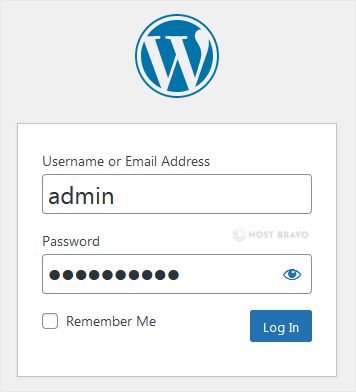
1. Open https://example.com/wp-admin in the web browser. Do not forget to replace example.com with your domain name.
2. Enter your WordPress credentials and click on Login.
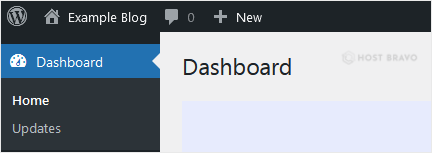
3. If your login details are correct, you will have successfully logged into the WordPress Dashboard.
Posted
Updated
